

Key takeaways:
- The category is the field in your Google Business Profile that tells people what your business does. Pick the wrong one and you lose visibility, even if the rest of the listing is complete.
- Categories help connect you with customers searching for the products or services your business offers. For example, if your primary category is "Pizza restaurant," Google may show your business when someone searches for "pizza near me."
- If you manage a chain with multiple locations, making sure every listing has the correct category, and that it's checked regularly, requires a centralized process.
__________________________________________________________________________________________________
Filling in your address, phone number, and hours is the first step when you create a Google Business Profile. But there's one field that directly shapes which searches your brand shows up in, and many businesses fill it in once and never look at it again: the category.
Choosing the wrong category, or settling for one that's too generic, can cost your profile qualified searches: the ones where people already know what they want and are ready to decide where to buy or who to hire.
In this article, you'll learn what a Google Business Profile category is, how to choose your primary category, how to use additional categories, and what to review regularly to keep your profile ranking well in local search.
What is a Google business category?
Google Business Profile categories tell people what your business does and help you connect with customers who search for your products or services on Google.
In practice, this is the field the algorithm relies on to decide which search results your profile appears in. A business listed under the right category has a better chance of showing up when someone searches for its industry or for the solution it offers, even if they never type the brand name.
Keep in mind that you can't create a custom category. You have to choose from a list Google provides, which makes it even more important to select the most accurate option available.
Also read: How to create a Google Business Profile
How do you choose your primary Google Business Profile category?
The primary category is the most important one on your profile, because it determines how Google primarily classifies your business in local search.
In its help page on managing your business category, Google recommends choosing a specific category from the list instead of a generic one. For example, choose "Nail salon" instead of "Salon."
The same logic applies to any industry. For instance, a compounding pharmacy will reach more of the right searches with "Compounding pharmacy" than with "Pharmacy."
In short, the more specific the category, the better your chances of showing up for people who are already looking for exactly what you offer.
Also read: How to ask customers for Google reviews
How do you use additional categories on your Business Profile?
Besides the primary category, your Google Business Profile lets you pick additional categories to broaden your profile's reach without diluting the focus of your primary category.
Additional categories are there to tell customers about specific departments or specialty services. For example, if a business is a grocery store with a bakery and a butcher shop, the primary category would be "Grocery store" and the additional categories would be "Bakery" and "Butcher shop."
Here are a few more practical guidelines for using additional categories:
- Only use categories that truly represent what your business offers. Adding categories with no direct connection to your business won't improve your ranking and can hurt your profile's relevance.
- Tell integrated departments apart from independent ones. A department that operates as part of the main business shouldn't get its own profile. But a department that's run independently, even if it shares the same physical space, needs its own Business Profile.
For example, if a gym has an independently run snack bar, you shouldn't add the "Snack bar" category to the gym's profile. The snack bar needs its own Google Business Profile, with "Snack bar" as its primary category.
Also read: Store missing from Google Maps? 7 reasons and how to fix them
Tips for finding the best Google business category
If you're unsure which Google business category to pick, one practical approach is to search for your industry on Google and check which categories competitors that rank well are using. That information appears on each business's profile, right below its name.
Another option is to type a term related to your business directly into the category field when you edit your Business Profile. Google automatically suggests the available options that come closest to what you typed.
Also read: Local SEO guide: strategies to make your business stand out
Why should you review your category regularly?
Google updates its list of categories frequently. New, more precise options appear over time, and the best category available one year may have a more specific version the next.
On top of that, businesses that shift their focus, add services, or expand into new market segments need to check whether their category still accurately reflects what they offer today.
It's good practice to check your categories as part of the same routine you use to keep your profile up to date, along with photos, hours, and reviews.
Category-specific features
Depending on the business category you select, special features become available on your Business Profile:
- Hotels can display class ratings and list amenities. Restaurants can add links for online ordering, reservations, and menus.
- Health and beauty businesses can add a booking button and update the services they offer.
That means choosing the right category not only affects how you rank in search, but also determines which features are available on your Business Profile, which can help turn more searches into visits to your physical location.
Important: if you add or edit a category, you may need to verify your business again so Google can confirm your information is accurate.
Also read: 5 common mistakes when responding to negative reviews
Frequently asked questions about Google Business Profile categories
Still have questions about choosing categories for your Google Business Profile? Here are answers to the most common ones from people who want to optimize a brand's local presence.
1. Can I use the same primary category for every location in my chain?
Yes, and in many cases it makes sense. But if different locations offer different services, it's worth giving them different primary categories so each one accurately reflects what that location offers.
2. What happens if I change the category after my profile is already verified?
Depending on the change, Google may ask you to verify again to confirm the information is still accurate. That's a normal process, but it's important to factor it in before making bulk changes across a chain with many locations.
3. Can the wrong category make my profile disappear from search?
Not necessarily. What the wrong category can do is make your profile show up in the wrong searches and stop showing up in the right ones.
A pizzeria listed as "Restaurant," for example, may appear in generic searches but miss more qualified searches like "pizza near me," which are the ones with the highest purchase intent.
4. How often does Google update its list of available categories?
Google doesn't publish an official update schedule. New categories roll out gradually, without advance notice. That's why reviewing your categories periodically is a good practice.
5. How can I make sure every location in my chain has the right category?
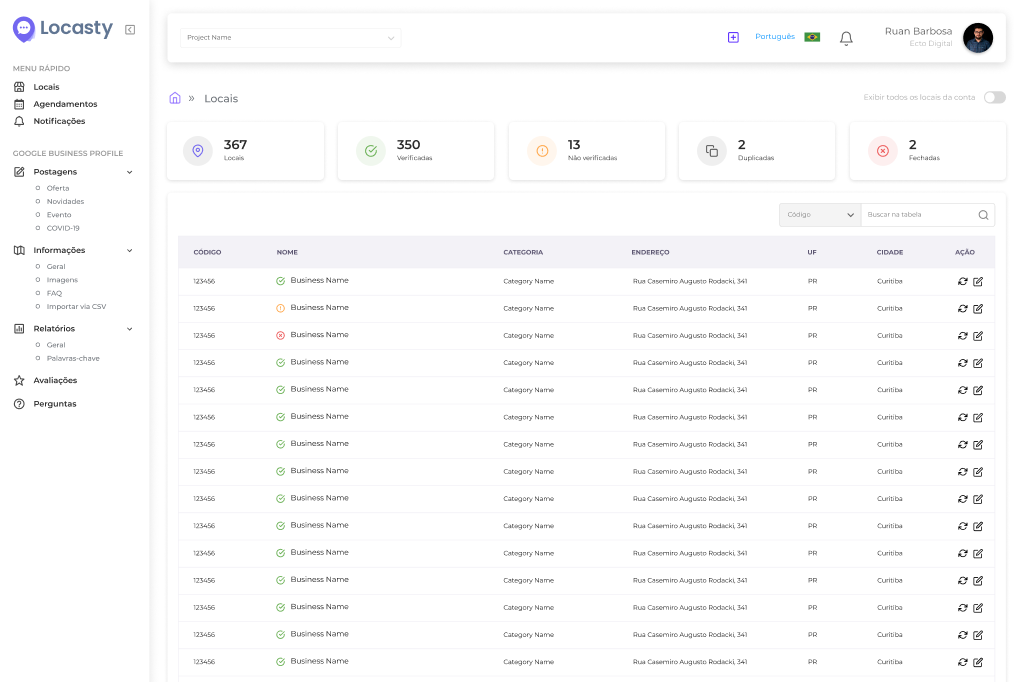
Without a centralized management tool, checking the categories of dozens or hundreds of listings one by one isn't feasible. With Locasty, your team can view and update the categories of every location in your chain from a single dashboard.
The platform also lets you spot inconsistencies between listings and roll out fixes at scale, without opening each profile one by one.
Want to explore everything Locasty can do? Schedule a Locasty demo and see how it works!
Also read: Google Business Profile photo guide: how to get your images right
Cover image — Source: ATKWORK - Magnific.com (2026)


0 comments